
How do I book a Samsung Warranty Call?
<< Back to Article Main Page <<
Booking Process - Samsung Warranty Calls
Please note: This article assumes you already have a warranty call raised through your manufacuter and a booking text from us. If not, please contact Samsung for them to raise a job, then wait for a text to arrive and return here.
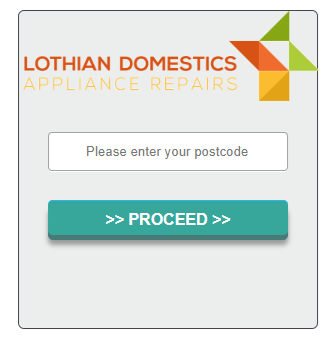
To ensure your data is safe and can only be accessed by you, we first need you to provide your postcode.
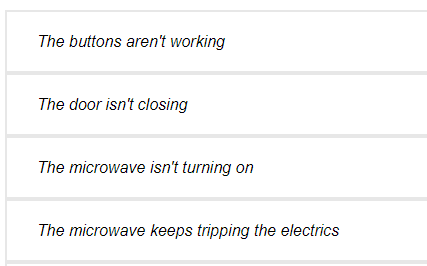
You will be asked to select the issue you are experiencing in our troubleshooter.
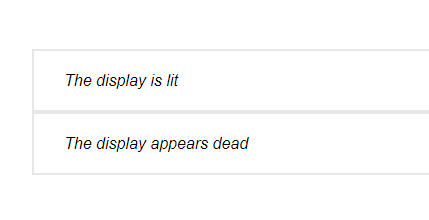
Once you have selected an option, you may be shown further "drill down" bullet points, so you should continue to select the most relevant option.
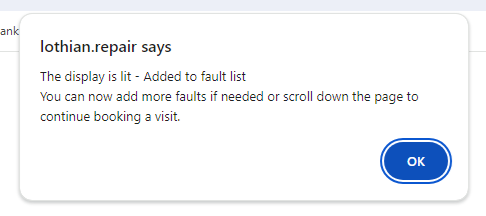
Once you have reached the end of the troubleshooting for that single issue you reported, you will be shown a confirmation screen.
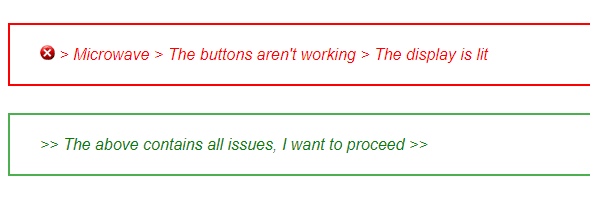
If you have further issues you've not reported, you should repeat the above process for each seperate issue. Once you have added all faults, please select the option at the bottom of the page to proceed:
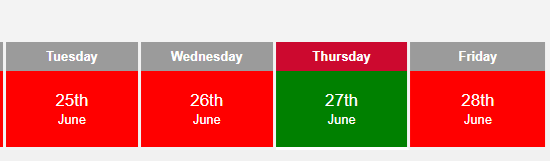
Red dates do not have any available slots. Green dates have available slots. Click a green date to select that date:
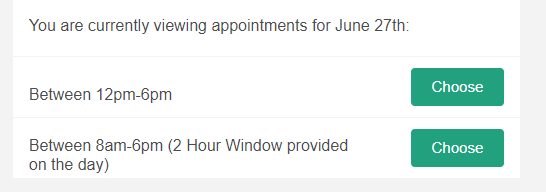
You will now be shown a list of all available appointments on that date. If you want to check another date, simply click a different green date.
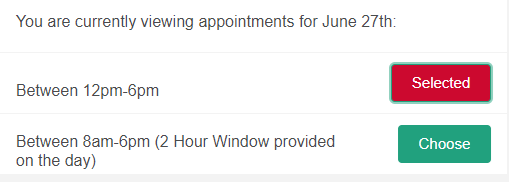
When you find a suitable date, click "Choose" next to that appointment to select it. The date should now say "Selected"
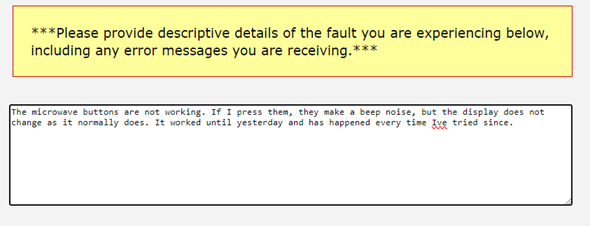
Previously you selected bullet points for each fault you are having. In the "Notes" field, we now need you to provide more details of each issue.
You can now select whether or not you wish to be notified if an earlier date becomes available after you have booked.

Now scroll to the bottom of the page, and click the button to proceed with a visit.
Please note If the button does not respond when clicked, please go back and check you have entered a fault and selected a visit date, as the button is designed to only respond when the full page has been completed.
Your date request will now be submitted for manual review by our team. If we determine we can't visit on the selected date (If parts need ordered first) or we need further details, you will receive a further message advising of this and should resubmit your request.
Assuming we have enough details to accept your request for the date chosen, you will received a text message confirming the visit date and time.
If you have any issues that are not answered above, please contact us and ensure you provide details of exactly which step above you are having issues with.
Booking Process - Samsung Warranty Calls
Please note: This article assumes you already have a warranty call raised through your manufacuter and a booking text from us. If not, please contact Samsung for them to raise a job, then wait for a text to arrive and return here.
To ensure your data is safe and can only be accessed by you, we first need you to provide your postcode.
You will be asked to select the issue you are experiencing in our troubleshooter.
Once you have selected an option, you may be shown further "drill down" bullet points, so you should continue to select the most relevant option.
Once you have reached the end of the troubleshooting for that single issue you reported, you will be shown a confirmation screen.
If you have further issues you've not reported, you should repeat the above process for each seperate issue. Once you have added all faults, please select the option at the bottom of the page to proceed:
Red dates do not have any available slots. Green dates have available slots. Click a green date to select that date:
You will now be shown a list of all available appointments on that date. If you want to check another date, simply click a different green date.
When you find a suitable date, click "Choose" next to that appointment to select it. The date should now say "Selected"
Previously you selected bullet points for each fault you are having. In the "Notes" field, we now need you to provide more details of each issue.
You can now select whether or not you wish to be notified if an earlier date becomes available after you have booked.
Now scroll to the bottom of the page, and click the button to proceed with a visit.
Please note If the button does not respond when clicked, please go back and check you have entered a fault and selected a visit date, as the button is designed to only respond when the full page has been completed.
Your date request will now be submitted for manual review by our team. If we determine we can't visit on the selected date (If parts need ordered first) or we need further details, you will receive a further message advising of this and should resubmit your request.
Assuming we have enough details to accept your request for the date chosen, you will received a text message confirming the visit date and time.
If you have any issues that are not answered above, please contact us and ensure you provide details of exactly which step above you are having issues with.

just booked an appointment.